
7 Days to Die - Known Bugs, Crashes & Community Fixes
About this game
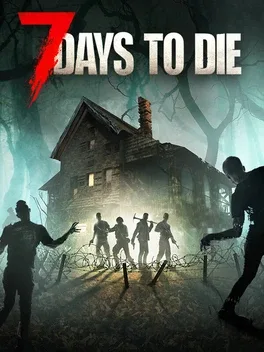
7 Days to Die is a first person, open world survival horror experience that blends shooter, tower defense, and role playing gameplay in a harsh post-apocalyptic world swarming with zombies. Explore vast sandbox maps with multiple biomes, scavenge and loot for better gear, and use deep crafting and building systems to create weapons, tools, vehicles, and heavily fortified bases with traps and automated defenses. Character growth is driven by skills, perks, and collectibles, supporting flexible playstyles in both solo and multiplayer modes where players can team up or battle each other. With extensive world building, destructible environments, and relentless undead hordes, it challenges you to see how long you can stay alive in the definitive zombie survival sandbox RPG.
Developed by · Published by ,
- Open the game folder through Steam and run 7DLauncher.exe.
- Use the launcher option to reset settings to default, save the changes, and verify the game files again.

- Have the affected player attempt to join so the crash occurs.
- Collect the server log from about 30 seconds before the join attempt through the crash.
- Review the log for exceptions to identify whether player data or another server-side issue is causing the crash.

Advertisement
Known issues (no solution listed yet)
These are community-reported issues we don’t have a listed fix for yet. If something worked for you, share it.
System requirements
Minimum
- OS: Windows 10 or higher (64-bit)
- Processor: 2.8 Ghz Quad Core CPU
- Memory: 8 GB RAM
- Graphics: 2 GB Dedicated Memory
- DirectX: Version 11
- Storage: 15 GB available space
Recommended
- OS: Windows 10 or higher (64-bit)
- Processor: 3.2 Ghz Quad Core CPU or faster
- Memory: 12 GB RAM
- Graphics: 4 GB Dedicated Memory
- DirectX: Version 11
- Storage: 15 GB available space