
Beautiful Light - Known Bugs, Crashes & Community Fixes
About this game
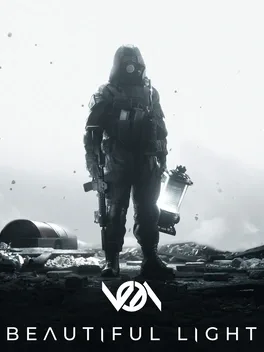
Beautiful Light is a tactical, hardcore first-person extraction shooter with asymmetric PvPvP and PvE combat. In its 24-player Raid mode, six three-person operator squads enter hostile, horror-filled areas to find and extract an artifact, while six player-controlled anomalies hunt them; operators can also fight one another. Gear up with weapons, armor, and gadgets, complete quests, and call an extraction helicopter, but dying means losing your mission and carried equipment. Progress through trader rewards and an RPG-style skill tree, or play as an anomaly to hunt and consume operators, gain experience, and unlock abilities and creatures. The game features immersive audio and atmosphere, a diegetic forearm PDA, an advanced inventory, tactical equipment, and detailed maps. Planned full-release additions include mercenary and contractor missions, team features with ranks and roles, more content and maps, and a secret expedition mode.
Developed by · Published by
System requirements
Minimum
- OS: Windows 10
- Processor: Ryzen 5 3600
- Memory: 6 GB RAM
- Graphics: NVIDIA GeForce GTX 970
- DirectX: Version 12
- Storage: 50 GB available space
Recommended
- OS: Windows 10
- Processor: I7 9700k
- Memory: 6 GB RAM
- Graphics: NVIDIA GeForce GTX 1080 TI
- DirectX: Version 12
- Storage: 50 GB available space
Common fixes for game issues
Haven't found a fix in the Bugs, Crashes & Solutions section above? These general steps often resolve crashes, freezes, and performance issues.
Update graphics drivers
Install the latest GPU drivers from NVIDIA, AMD, or Intel. Outdated drivers are a leading cause of crashes and visual glitches.
Verify game files
Use your launcher's "Verify integrity" option to repair missing or corrupted game files.
Run as administrator
Right-click the game executable and choose "Run as administrator" to fix permission-related launch or save issues.
Disable background apps
Turn off overlays and close heavy background apps to free RAM and reduce conflicts.