
Doom: The Dark Ages - Known Bugs, Crashes & Community Fixes
15 May 2025
About this game
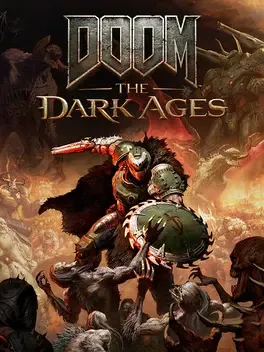
DOOM: The Dark Ages is a single-player first-person shooter and prequel to DOOM (2016) and DOOM Eternal that tells a cinematic origin story for the Doom Slayer. Set in a dark medieval war against Hell on Argent D'Nur, it features slower, grounded combat focused on standing and fighting, with the Shield Saw for blocking and parrying, new melee weapons, familiar guns like the Super Shotgun, and the ability to ride a cybernetic dragon or pilot a massive mech.
Developed by · Published by
Verify the integrity of game files through Steam or your platform's repair option to fix crashes on startup after the Revelations DLC update.

Related guideHow to Verify Game File Integrity (Steam, Epic, GOG, Xbox)
Update GPU drivers to the latest Game Ready or recommended version for DOOM: The Dark Ages, then reboot the system before launching the game to reduce startup crashes.
Change the Resolution Scaling Mode from Dynamic to Static in the graphics settings to recover FPS lost after the latest NVIDIA driver or DLC update.
On handheld devices, select the Handheld graphics preset to cap the game at 30 FPS, then enable LSFG to effectively achieve 60 FPS in most areas.
When running under Proton, set the environment variables PROTON_USE_WINED3D=0 and DXVK_ASYNC=1 for the game command to improve performance and reduce stutter.
Disable G-Sync in the NVIDIA control panel or monitor settings to reduce choppy or broken frame generation.
Delete or rename the settings.bin file in your DOOM The Dark Ages save profile folder to reset graphics settings and recover from the path tracing crash.
Disable Steam Cloud saves for DOOM: The Dark Ages, then wipe the game's save folder to restore default settings and remove the broken path tracing configuration.
On Linux with Proton, rename the amd_fidelityfx_vk.dll file in the amd-ffx folder so path tracing stops using the problematic library and the game can launch.
Advertisement
System requirements
Minimum
- OS: Windows 10 64-Bit / Windows 11 64-Bit
- Processor: AMD Zen 2 or Intel 10th Generation CPU @3.2Ghz with 8 cores / 16 threads or better (examples: AMD Ryzen 7 3700X or better, or Intel Core i7 10700K or better)
- Memory: 16 GB RAM
- Graphics: NVIDIA or AMD hardware Raytracing-capable GPU with 8GB dedicated VRAM or better (examples: NVIDIA RTX 2060 SUPER or better, AMD RX 6600 or better)
- Storage: 100 GB available space
Recommended
- OS: Windows 10 64-Bit / Windows 11 64-Bit
- Processor: AMD Zen 3 or Intel 12th Generation CPU @3.2Ghz with 8 cores / 16 threads or better (examples: AMD Ryzen 7 5700X or better, or Intel Core i7 12700K or better)
- Memory: 32 GB RAM
- Graphics: NVIDIA or AMD hardware Raytracing-capable GPU with 10GB dedicated VRAM or better (examples: NVIDIA RTX 3080 or better, AMD RX 6800 or better)
- Storage: 100 GB available space