
Far Far West - Known Bugs, Crashes & Community Fixes
About this game
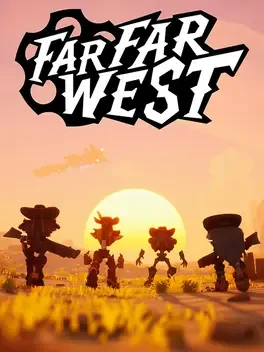
In Far Far West, up to four friends can join forces as robotic cowboys on a chaotic co‑op shooting adventure. The crew takes on the Town Sheriff’s contracts, hunting down dangerous targets across dusty saloons, endless deserts, haunted mines, and storm‑ridden plains, all while fending off reanimated skeletons and a looming ghost train. Players can switch instantly between six‑shooter pistols and spell‑casting fireballs, tailoring their load‑outs and combining magic to tackle waves of enemies and tough bosses. By trading in town, you can upgrade firearms, spells, and abilities, choose perks that focus on spell damage, healing, or headshots, and unlock skins for both the cowboy and his steed. The deeper you push, the bigger the challenges and richer the rewards, making teamwork and quick adaptation essential to survive and claim the bounty.
Developed by · Published by





- Download latest NVIDIA GeForce driver.
- Select Custom install with Perform a clean installation checked.
- Ensure HD Audio Driver is checked.
- Restart PC after installation.
Advertisement
System requirements
Minimum
- OS: Windows 10 (64-BIT Required)
- Processor: Intel Core i7-4790K or AMD Ryzen 5 1500X
- Memory: 8 GB RAM
- Graphics: NVIDIA GeForce GTX 1050 Ti or AMD Radeon RX 470
- Storage: 16 GB available space
Recommended
- OS: Windows 10 (64-BIT Required)
- Processor: Intel Core i7-9700K or AMD Ryzen 7 3700X
- Memory: 8 GB RAM
- Graphics: NVIDIA GeForce RTX 2060 or AMD Radeon RX 6600XT
- Storage: 16 GB available space