
Minecraft Dungeons II - Known Bugs, Crashes & Community Fixes
29 September 2026
About this game
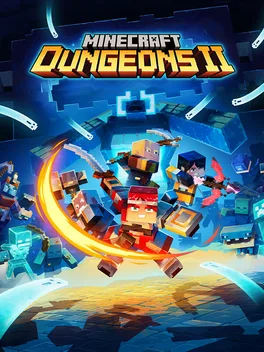
Minecraft Dungeons II is an action-adventure game that sends heroes through the Overworld and into the Sift, an unexplored dimension filled with dangers, mysteries, and striking sights. Battle hordes of mobs and a powerful new illager threat in challenging, explosive encounters as you try to prevent corruption from spreading across two worlds. Shape your playstyle with legendary weapons, armor, and artifacts, and take on the adventure alone or with up to four players through couch co-op, online co-op, mixed co-op, or matchmaking.
Developed by · Published by ,
Have the affected player jump off the map or get revived again to stop the persistent revive sound.
Synchronize your Windows date, time, and time zone, then retry signing in.
Try adding -windowed to the Steam launch options, then attempt account linking again.
Sign in to the Xbox app with the Microsoft account you use in the game before launching it.
Repair Gaming Services in Windows Settings, then restart the PC and retry account linking.
Close overlay tools before starting the game.

Related guideHow to Disable Overlays That Cause Crashes (Steam, Discord, NVIDIA, AMD, Xbox Game Bar)
Add -d3d11 to the Steam launch options and try launching again.
Related guideHow to Force DirectX 11 (DX11) for a Game on PC
Check the hero-selection screen for a separate online or offline hero before concluding that progress was lost.
Test R3 outside the game to determine whether the problem is caused by the controller hardware.
Fully quit the game, reconnect the controller, and relaunch it after the controller is detected.
Open Settings → Controls/Input and restore the default controller layout or rebind the R3 action.
On PC, enable or disable Steam Input and remove conflicting remapping software or virtual controllers.
Replace the affected artifact in your inventory to reset its stuck cooldown state.
Advertisement
Known issues (no solution listed yet)
These are community-reported issues we don’t have a listed fix for yet. If something worked for you, share it.
System requirements
Minimum
- OS: Windows 10 64‑bit (1703 or newer)
- Processor: Intel Core i3‑8100, AMD Ryzen 3 2200G or equivalent
- Memory: 8 GB RAM
- Graphics: NVIDIA GeForce GTX 1050, AMD Radeon RX 560 or equivalent dedicated graphics card with at least 2 GB VRAM
- DirectX: Version 11
Recommended
- OS: Windows 10 64‑bit (1703 or newer)
- Processor: Intel Core i5‑8400, AMD Ryzen 5 2600 or equivalent or higher
- Memory: 16 GB RAM
- Graphics: NVIDIA GeForce GTX 1060, AMD Radeon RX 580, with at least 6 GB VRAM or equivalent
- DirectX: Version 11