
Nivalis Nights - Known Bugs, Crashes & Community Fixes
About this game
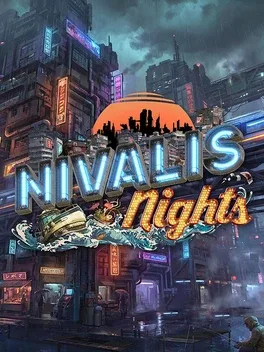
Nivalis Nights is a cyberpunk slice of life simulation set in a neon soaked city that rises from the ocean to the clouds. Begin with a simple noodle stand and build your way up to owning busy restaurants, ramen bars, and nightclubs while navigating CorpSec crackdowns and the threat of a serial killer. Each day you choose between expanding your business, growing or buying ingredients, or deepening relationships with a diverse cast of residents whose stories and bonds you manage. Customize and decorate apartments for yourself or friends, explore the district by boat, and go fishing when you need a break. Test your skills in mini games and a high stakes chess tournament, and decide whether to outplay rivals legally or risk sneaking through security during curfew to sabotage competitors, knowing the same dangers can return to you.
Developed by · Published by
Advertisement
System requirements
Minimum
- OS: Windows 10/11 (64 bit)
- Processor: AMD / Intel CPU
- Memory: 16 GB RAM
- Graphics: AMD / NVIDIA dedicated graphics card, with at least 6GB of dedicated VRAM
- DirectX: Version 11
- Storage: 30 GB available space
Recommended
- OS: Windows 10/11 (64 bit)
- Processor: AMD / Intel CPU
- Memory: 16 GB RAM
- Graphics: AMD / NVIDIA dedicated graphics card, with 8GB of dedicated VRAM (i.e. GTX 2070 or newer)
- DirectX: Version 12
- Storage: 30 GB available space