Shift at Midnight - Known Bugs, Crashes & Community Fixes
About this game
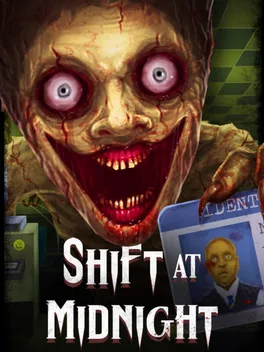
Shift at Midnight is an online co-op detective horror game for 1–3 players where you work the graveyard shift at a remote 90s gas station, juggling store management with life-or-death investigations of your customers. You must keep shelves stocked, accept deliveries, clean the store and hit nightly sales quotas while serving each visitor at the counter. As you do, you scan IDs, cross-check their details on the computer, ask limited questions and watch their behavior to spot doppelgangers hiding among humans. Misjudging a customer lets a creature escape, turning your quiet shift into a brutal survival scenario where you and your friends must barricade doors, lay traps, hide and, if necessary, execute impostors on site then clean up afterward. With proximity chat, online multiplayer, character customization and a story mode of 13 randomly generated shifts where no two nights play out the same, teamwork and sharp observation are the only way to stay alive until dawn.
Published by


Advertisement
System requirements
Minimum
- OS: Windows 10 (64-bit)
- Processor: Intel Core i3-2100 / AMD FX-4300 or similar (dual-core or better)
- Memory: 4 GB RAM
- Graphics: NVIDIA GeForce GTX 750 Ti / AMD Radeon R7 260X (2 GB VRAM)
Recommended
- OS: Windows 10 (64-bit)
- Processor: Intel Core i5-6500 / AMD Ryzen 3 1200 or similar
- Memory: 8 GB RAM
- Graphics: NVIDIA GeForce GTX 1050 Ti / AMD Radeon RX 560 (4 GB VRAM)