
Witchbrook - Known Bugs, Crashes & Community Fixes
About this game
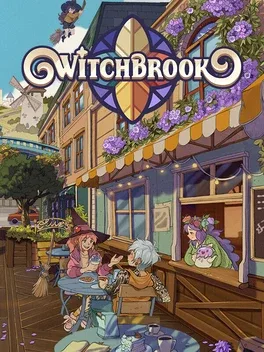
Witchbrook is an isometric pixel-art school and town-life simulator set in Mossport, a lively seaside community. Attend classes, complete assignments and exams, brew potions, learn magical arts, take part in rituals, and compete with your coven as the academic year and seasons unfold. Meet townsfolk with their own routines, join community events, build friendships or pursue romance, and customize your look, cottage, and garden. Outside your studies, shop, sell crafts at the Sunday market, start a business, visit the arcade, or photograph the town. Up to four players can explore together in online co-op, including broom races and spellcrafting.
Developed by · Published by
System requirements
Minimum
- OS: Windows 10+, 64-bit only
- Processor: Quad-core CPU
- Memory: 8 GB RAM
- Graphics: DX11 compatible video card with at least 4 GB VRAM
- DirectX: Version 11
- Storage: 2 GB available space
Recommended
- Requires a 64-bit processor and operating system
Common fixes for game issues
Haven't found a fix in the Bugs, Crashes & Solutions section above? These general steps often resolve crashes, freezes, and performance issues.
Update graphics drivers
Install the latest GPU drivers from NVIDIA, AMD, or Intel. Outdated drivers are a leading cause of crashes and visual glitches.
Verify game files
Use your launcher's "Verify integrity" option to repair missing or corrupted game files.
Run as administrator
Right-click the game executable and choose "Run as administrator" to fix permission-related launch or save issues.
Disable background apps
Turn off overlays and close heavy background apps to free RAM and reduce conflicts.