Fix your game • Help others • Play more

Bugfree

Assassin's Creed Black Flag Resynced - Known Bugs, Crashes & Community Fixes
9 July 2026
Assassin's Creed Black Flag Resynced

About this game

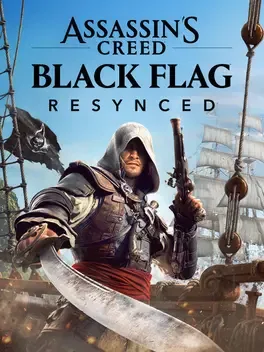
Assassin's Creed Black Flag Resynced is a fully rebuilt, solo action adventure remake of Edward Kenway’s pirate saga, sending you back to the Caribbean during the Golden Age of Piracy as captain of the Jackdaw. Engage in explosive naval battles with enhanced ship handling and new alternate fire options, dive into underwater wrecks, and explore dense tropical jungles in a seamless open world powered by the latest Anvil engine. Combat has been redesigned around fluid parries, chained takedowns, and improved stealth and parkour for smoother assassinations and escapes, while quality-of-life refinements resolve prior frustrations. New story content expands the original narrative with added missions, fresh scenes for returning fan-favorite pirates like Blackbeard and Stede Bonnet, and three recruitable officers who join your journey. Visual and audio upgrades such as ray tracing and Dolby Atmos heighten immersion, and added extras like photo mode, pets, and new sea shanties round out the experience, with the Blackbeard's Crimson Pack available as a pre-purchase bonus.

Developed by · Published by

Bugs, Crashes & Solutions

Close the game, make sure the language pack is installed, then restart the launcher so it can detect the pack again.
On Linux, switch the game to use Proton Experimental in its compatibility settings and remove or disable overlays such as MangoHUD if audio is cutting off.
How to Disable Overlays That Cause Crashes (Steam, Discord, NVIDIA, AMD, Xbox Game Bar)
Related guideHow to Disable Overlays That Cause Crashes (Steam, Discord, NVIDIA, AMD, Xbox Game Bar)
Add the recommended launch command for your distribution to the game’s launch options and then relaunch to stabilize audio playback.
Update your graphics card drivers to the latest version.
How to Update Your GPU Drivers for Gaming
Related guideHow to Update Your GPU Drivers for Gaming
Verify the integrity of the game files through the launcher to restore any missing or corrupted data.
How to Verify Game File Integrity (Steam, Epic, GOG, Xbox)
Related guideHow to Verify Game File Integrity (Steam, Epic, GOG, Xbox)
Install the latest Windows updates to ensure your system includes up to date DirectX files and stability improvements.
Close unnecessary background tasks and disable overlays to reduce software conflicts while the game is running.
How to Disable Overlays That Cause Crashes (Steam, Discord, NVIDIA, AMD, Xbox Game Bar)
Related guideHow to Disable Overlays That Cause Crashes (Steam, Discord, NVIDIA, AMD, Xbox Game Bar)
Lower the in game graphics settings and resolution to reduce system load and achieve smoother performance.
Try enabling Frame Generation in the game's graphics settings.
DLSS, FSR, and XeSS Explained: Which Upscaling Should You Use?
Related guideDLSS, FSR, and XeSS Explained: Which Upscaling Should You Use?
Clear the game's shader cache and relaunch so shaders can rebuild.
How to Clear or Disable the NVIDIA Shader Cache
Related guideHow to Clear or Disable the NVIDIA Shader Cache
Reload the last checkpoint for "Vainglorious Bastards" or restart the mission from the quest log to force scripted events to retrigger.
Set the game's graphics preset to a lower level and cap the frame rate to help keep animations and menus in sync.
Switch the game's motion blur and depth of field settings off to reduce visual desync artifacts.
Disable Fullscreen Optimizations on the game executable in its file properties to prevent black screen issues.
Press Alt+Tab to switch out of the game and then back in to see if the black screen clears.
Turn off HDR in both Windows display settings and in-game options to see if it resolves the black screen while audio plays.
Fast travel away from the affected quest area and return to refresh NPCs and quest scripting.
Backup and then open the ACBlackFlag.ini file in your Documents folder and set raytracing_bvhquality=0, raytracing_gi=2, and raytracing_giquality=0, then save the file and relaunch the game.
Turn off FSR or any frame generation option in the in-game graphics settings before playing on an AMD Radeon RX 7900 XTX.
Reset HUD settings to default in the Interface or HUD customization menu to restore missing minimap and UI elements.
Toggle individual HUD elements off and back on in the customization menu to force them to reappear.

Advertisement

Known issues (no solution listed yet)

These are community-reported issues we don’t have a listed fix for yet. If something worked for you, share it.

  • Controller input stops being detected after being AFK

    Last reported: August 15, 2026

System requirements

Minimum

  • OS: Windows 10 (64 bit only), Windows 11
  • Processor: Intel Core i7-8700K 3.7 GHz, AMD Ryzen 5 3600 3.6 GHz
  • Memory: 16 GB RAM
  • Graphics: NVIDIA GeForce GTX 1660 (6GB), AMD Radeon RX5500XT (8GB) or Intel ARC A580 (8GB)
  • DirectX: Version 12
  • Storage: 65 GB available space

Recommended

  • OS: Windows 10 (64 bit only), Windows 11
  • Processor: Intel Core i5-10600K 4.1 GHz, AMD Ryzen 5 3600 3.6 GHz
  • Memory: 16 GB RAM
  • Graphics: NVIDIA GeForce RTX 3060 (12GB),AMD Radeon RX6600XT (8GB), or Intel ARC B580 (12GB)
  • DirectX: Version 12
  • Storage: 65 GB available space