Fix your game • Help others • Play more

Bugfree

Avatar Legends: The Fighting Game - Known Bugs, Crashes & Community Fixes
23 July 2026
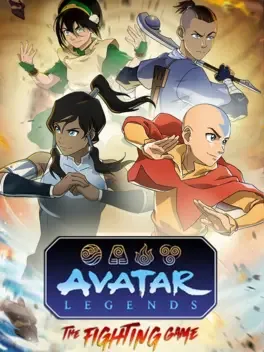
Avatar Legends: The Fighting Game

About this game

Avatar Legends: The Fighting Game is a fast-paced 1v1 2D fighter that lets you battle as iconic heroes and villains from across the Avatar universe, using distinct bending styles to control space, apply pressure, or outmaneuver opponents. With hand-drawn animation faithful to the series, 12 playable characters at launch, and three selectable support characters that add unique abilities and strategies, every matchup feels fresh and expressive. Master the Flow and Energy Point systems to dash, evade, extend combos, and unleash cinematic Super Arts, then test your skills across Story, Arcade, Offline and Online Versus, Training, and an Art Gallery celebrating Avatar’s history. Rollback netcode and full cross-play provide smooth, competitive online play, while intuitive controls and deep mechanics make the game approachable yet highly rewarding for dedicated fighters.

Developed by · Published by

Bugs, Crashes & Solutions

Disable overlays to reduce conflicts that can cause freezing or lag.

Temporarily disable your antivirus or add the game’s installation folder as an exclusion to reduce stuttering caused by real-time scanning, then re-enable protection after testing.

How to Add a Game to Antivirus Exclusions on Windows
Related guideHow to Add a Game to Antivirus Exclusions on Windows

Reinstall or repair Microsoft Visual C++ Redistributables and DirectX runtime libraries, then restart Windows before playing to reduce crash-to-desktop and freezing issues.

How to Update DirectX and Visual C++ Redistributables (.dll Error Fix)
Related guideHow to Update DirectX and Visual C++ Redistributables (.dll Error Fix)

Clear the Steam download cache in the Steam settings menu, then log back in and try launching the game.

Update Windows via the Windows Update settings so the operating system has all recent patches before trying to start the game again.

Run the game executable and Steam client as administrator to ensure they have sufficient permissions to access required files.

Update your graphics card drivers to the latest version from the GPU manufacturer's software or website, then restart your PC and relaunch the game.

How to Update Your GPU Drivers for Gaming
Related guideHow to Update Your GPU Drivers for Gaming

Verify the integrity of the game files in your Steam library so missing or corrupted files are redownloaded before launching the game again.

How to Verify Game File Integrity (Steam, Epic, GOG, Xbox)
Related guideHow to Verify Game File Integrity (Steam, Epic, GOG, Xbox)

System requirements

Minimum
  • OS *: Windows 7 (64bit)
  • Processor: Intel Core i5-7500 | AMD Ryzen 2600
  • Graphics: GTX 970 | RX 570
  • DirectX: Version 11
  • Storage: 3600 MB available space
Recommended
  • Storage: 3600 MB available space
    Avatar Legends: The Fighting Game - Known Bugs, Crashes & Community Fixes | BugFreeGG