Battlefield 6 - Known Bugs, Crashes & Community Fixes
About this game
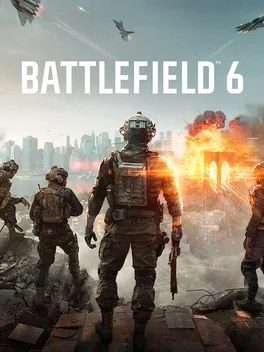
Battlefield 6 delivers a massive all‑out warfare experience where infantry, tanks, fighter jets, skydiving, heavy artillery and RPGs collide in a cinematic, class‑based squad environment. The new Kinesthetic Combat System ties your gunplay and movement to the soldier and surroundings, making every shot feel instinctual and precise. Destruction is a weapon: vehicles become wrecking balls, ceilings collapse to bury enemies, and reactive, audiovisual cues let you know when objects are about to break. A global‑scale campaign takes you from the Sahara to Gibraltar’s beaches and the streets of New York, as Marine Raiders fight to keep a world on the brink. Multiplayer offers a variety of large‑scale modes—Conquest, Breakthrough, Rush—and fast‑paced ones like King of the Hill, Domination, and Payload. The Battlefield Portal sandbox lets creators and players reshape the environment, moving, scaling, duplicating objects and scripting NPCs to craft entirely new modes.
Developed by · Published by
- Restart your router and modem before playing Battlefield 6.
- Use a wired Ethernet connection instead of Wi‑Fi.
- Disable VPNs and review firewall or NAT settings so the game can maintain a stable session.


Advertisement
System requirements
Minimum
- OS: Windows 10
- Processor: Intel Core i5-8400, AMD Ryzen 5 2600
- Memory: 16 GB RAM
- Graphics: Nvidia RTX 2060, AMD Radeon RX 5600 XT 6GB, Intel Arc A380
- DirectX: Version 12
- Storage: 55 GB available space
Recommended
- OS: Windows 11
- Processor: Intel Core i7-10700, AMD Ryzen 7 3700X
- Memory: 16 GB RAM
- Graphics: Nvidia RTX 3060Ti, AMD Radeon RX 6700-XT, Intel Arc B580
- DirectX: Version 12
- Storage: 80 GB available space