Fix your game • Help others • Play more

Bugfree

Beast of Reincarnation - Known Bugs, Crashes & Community Fixes
4 August 2026
Beast of Reincarnation

About this game

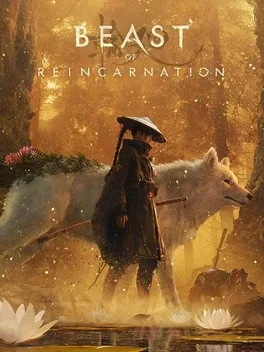
Beast of Reincarnation is Game Freak’s one-person, one-dog action RPG set in post-apocalyptic Japan in the year 4026, where humanity’s fate rests on Emma, an outcast marked by a blight, and Koo, her similarly afflicted canine companion. As they journey through a beautiful yet harsh world where lush forests erupt from ruined wastelands, you’ll face powerful bosses ruling blighted regions and claim their abilities to challenge the titular Beast of Reincarnation. The hybrid combat system blends real-time swordplay with command-based skills for Koo, creating a tactical rhythm that feels part action and part turn-based RPG. By investing in distinct skill trees, collecting gear, and slotting spirit stones, you can tailor Emma and Koo’s capabilities for ranged, stealthy, or aggressive approaches, shaping a playstyle that carries you through a lonely but deeply bonded adventure filled with secrets and intertwined destinies.

Developed by · Published by

Bugs, Crashes & Solutions

To fix the issues, install the game on an SSD to eliminate asset-streaming texture pop-in, and manually reselect your preferred upscaler after every restart.
Install the newest graphics drivers to improve DirectX compatibility and resolve potential driver related issues.
How to Update Your GPU Drivers for Gaming
Related guideHow to Update Your GPU Drivers for Gaming
Verify the game installation through the launcher to repair any missing or corrupted game files.
How to Verify Game File Integrity (Steam, Epic, GOG, Xbox)
Related guideHow to Verify Game File Integrity (Steam, Epic, GOG, Xbox)
Exit unnecessary background applications and turn off overlays that may interfere with the game.
How to Disable Overlays That Cause Crashes (Steam, Discord, NVIDIA, AMD, Xbox Game Bar)
Related guideHow to Disable Overlays That Cause Crashes (Steam, Discord, NVIDIA, AMD, Xbox Game Bar)
Temporarily disable your antivirus or add the game installation folder to the exclusions list to prevent file conflicts.
How to Add a Game to Antivirus Exclusions on Windows
Related guideHow to Add a Game to Antivirus Exclusions on Windows
Make sure the game runs with a dedicated GPU.
How to Force a Game to Use Your Dedicated GPU on Windows
Related guideHow to Force a Game to Use Your Dedicated GPU on Windows
Reduce the in game graphics settings and resolution to decrease hardware usage and improve overall game stability.
Disable ray-traced shadows in the graphics settings.
Refund and reassign your skill points manually after respeccing, since the respec does not fully clear every invested point.

Advertisement

Known issues (no solution listed yet)

These are community-reported issues we don’t have a listed fix for yet. If something worked for you, share it.

  • Characters on ROG Ally appear as black silhouettes indoors due to a lighting and fog bug

    Last reported: August 17, 2026

System requirements

Minimum

  • OS: Windows 10/11
  • Processor: Intel Core i5-8400 or AMD Ryzen 5 3600
  • Memory: 16 GB RAM
  • Graphics: NVIDIA GeForce GTX 1070 (8 GB) or AMD Radeon RX 580 (8 GB)
  • DirectX: Version 12
  • Storage: 45 GB available space

Recommended

  • OS: Windows 11
  • Processor: Intel Core i7-12700K or AMD Ryzen 7 5800X
  • Memory: 16 GB RAM
  • Graphics: NVIDIA GeForce RTX 3060 (12 GB) or AMD Radeon RX 6700 XT (12 GB)
  • DirectX: Version 12
  • Storage: 45 GB available space
    Beast of Reincarnation - Known Bugs, Crashes & Community Fixes | BugFreeGG