
Fix your game • Help others • Play more

Bugfree

Big Walk - Known Bugs, Crashes & Community Fixes
4 August 2026
Big Walk

About this game

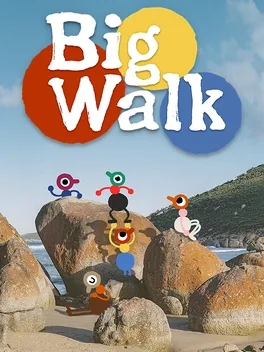
Big Walk is a hand-crafted online cooperative adventure from the makers of Untitled Goose Game, built for 2 to 12 players with cross-platform play. Explore a sprawling open world together at your own speed, overcoming challenges, solving puzzles, and making discoveries through teamwork. Proximity voice chat changes with distance and surroundings, while gestures help when speech is unavailable. Use tools and toys such as walkie-talkies, laser pointers, binoculars, megaphones, flares, whiteboards, cowbells, and a big golden head to stay connected or cause mischief. Whether finding the path forward or simply watching a sunset with friends, the journey is designed to be played through to its ending as a group.

Developed by · Published by

Bugs, Crashes & Solutions

Check that Big Walk is using the intended microphone input in the game and operating system sound settings, then restart the game if other players' voices are routed through the wrong character.
When your character becomes stuck on the edge of an object or small rock, repeatedly press the movement keys while jumping to free yourself.
Add -windowed to Big Walk's Steam launch options and test the game once; remove the option if it does not change the black screen.
Verify Big Walk's installation through Steam by opening Properties, Installed Files, and selecting Verify integrity of game files.
How to Verify Game File Integrity (Steam, Epic, GOG, Xbox)
Related guideHow to Verify Game File Integrity (Steam, Epic, GOG, Xbox)
Disable the Steam Overlay and Discord's in-game overlay for one test, then restart Big Walk and retry.
How to Disable Overlays That Cause Crashes (Steam, Discord, NVIDIA, AMD, Xbox Game Bar)
Related guideHow to Disable Overlays That Cause Crashes (Steam, Discord, NVIDIA, AMD, Xbox Game Bar)
  • Wait until the host has fully entered the world before joining.
  • Check that both players have internet access, correct system clocks, and matching first two game-version numbers.
  • Fully close and relaunch Big Walk before retrying the session.

Install the latest graphics driver directly from NVIDIA, AMD, or Intel, restart Windows, and retest Big Walk.
How to Update Your GPU Drivers for Gaming
Related guideHow to Update Your GPU Drivers for Gaming
Install pending Windows updates, restart the computer, then lower Render Scale and Quality in Big Walk's graphics settings before gradually restoring them.

Advertisement

System requirements

Minimum

  • OS: Windows 10
  • Processor: Intel Core i7-7700K or AMD Ryzen 5 1600X
  • Memory: 12 GB RAM
  • Graphics: NVIDIA GeForce GTX 750 TI, 2GB or AMD Radeon R7 370, 2 GB or Intel Arc A380, 6 GB

Recommended

  • OS: Windows 11
  • Processor: Intel Core i5-10600K or Ryzen 7 3700X
  • Memory: 16 GB RAM
  • Graphics: NVIDIA GeForce GTX 1070, 8 GB or Radeon RX 5600 XT, 8 GB or Intel Arc A750, 8GB
    Big Walk - Known Bugs, Crashes & Community Fixes | BugFreeGG
