
Clair Obscur: Expedition 33 - Known Bugs, Crashes & Community Fixes
About this game
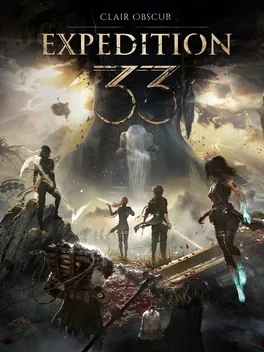
Clair Obscur: Expedition 33 invites you to lead a rag‑tag crew on a desperate mission to stop the Paintress, a cursed figure who annually paints a monolith with a number that erases everyone of that age. With only one year left, Gustave, Maelle, and their companions must break the cycle before the number 33 is marked. Set in a Belle Époque‑inspired fantasy world, the game blends classic turn‑based combat with real‑time action: dodge, parry, and chain combos while aiming at enemy weak points. Players can customize each Expeditioner’s gear, stats, and skills to create synergistic builds, and can recruit legendary allies to unlock new travel methods and hidden areas across locations such as the Island of Visages and the Forgotten Battlefield. Developed by Sandfall Interactive in Unreal Engine 5, the title boasts striking visuals and an emotionally resonant soundtrack.
Developed by · Published by





Advertisement
Known issues (no solution listed yet)
These are community-reported issues we don’t have a listed fix for yet. If something worked for you, share it.
System requirements
Minimum
- OS: Windows 10
- Processor: Intel Core i7-8700K / AMD Ryzen 5 1600X
- Memory: 8 GB RAM
- Graphics: NVIDIA GeForce GTX 1060 6 GB / AMD Radeon RX 5600 XT 6 GB / Intel Arc A380 6 GB
- DirectX: Version 12
- Storage: 55 GB available space
Recommended
- OS: Windows 11
- Processor: Intel Core i7-12700K / AMD Ryzen 7 5800X
- Memory: 16 GB RAM
- Graphics: NVIDIA GeForce RTX 3060 Ti 8 GB / AMD Radeon RX 6800 XT 16 GB
- DirectX: Version 12
- Storage: 55 GB available space