
Corsair Cove - Known Bugs, Crashes & Community Fixes
About this game
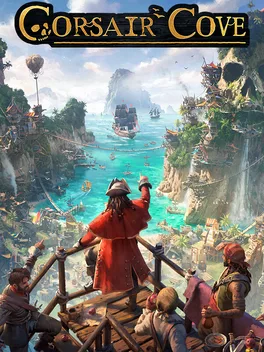
Corsair Cove is a pirate themed city builder and strategy game where you transform a deserted island into a sprawling vertical haven perched on cliffs and hilltops. Starting with shipwrecked survivors, you construct everything from taverns and living quarters to piers, cannon foundries, fortresses, bridges, ziplines, and other contraptions to link precarious pathways and move goods efficiently across chasms. You manage intricate production chains for over 50 goods, crafting food, clothing, weapons, tools, and luxuries to satisfy distinct pirate population tiers, from drifters and basic crew to elite corsairs with specialized needs. As you grow your cove into the last bastion of piracy, you build and equip ships, assemble specialist crews, raid islands for rare resources, confront legendary beasts, and fight the Crown’s fleets in turn based naval combat, all while pursuing multiple advancement paths and questlines to keep the Golden Age of Piracy alive.
Developed by · Published by





Advertisement
System requirements
Minimum
- OS: Windows® 10 (64-bit)
- Processor: Intel® Core™ i7-7700 (quad-core) / AMD® Ryzen™ 5 1600 (hexa-core)
- Memory: 8 GB RAM
- Graphics: NVIDIA® GeForce® GTX 1660 Super (6 GB) / AMD® Radeon™ RX 5600 XT (6 GB)
- DirectX: Version 12
- Storage: 30 GB available space
Recommended
- OS: Windows® 10 (64-bit)
- Processor: Intel® Core™ i5-9600K (hexa-core) / AMD® Ryzen™ 5 3600 (hexa-core)
- Memory: 16 GB RAM
- Graphics: NVIDIA® GeForce® RTX 2070 (8 GB) / AMD® Radeon™ RX 6600 XT (8 GB)
- DirectX: Version 12
- Storage: 30 GB available space