Cyberpunk 2077 - Known Bugs, Crashes & Community Fixes
10 December 2020
About this game
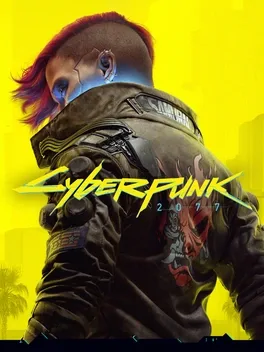
Cyberpunk 2077 drops you into the neon‑lit, sprawling metropolis of Night City, where you play V, a mercenary chasing a legendary implant that promises immortality. The open‑world RPG lets you tailor cyberware, skills, and playstyle, while the choices you make and the relationships you forge ripple through the narrative and the city itself. Take on jobs, earn reputation, and unlock upgrades as you explore a city brimming with sights, sounds, and unforgettable characters, deciding where to go, when to go, and how to get there. Legends are forged here—what will yours be?
Developed by · Published by
Verify the integrity of game files via Steam or the game's launcher.

Related guideHow to Verify Game File Integrity (Steam, Epic, GOG, Xbox)
Download and install the latest graphics driver directly from the GPU manufacturer's website.

Related guideHow to Update Your GPU Drivers for Gaming
Disable all mods and launch the game; if the crash stops, re-enable mods one by one to identify the culprit.
Run the game's executable as administrator to avoid permission issues.
Related guideHow to Run a Game as Administrator on Windows
Change from fullscreen to windowed mode.
Turn on V-Sync in the game's settings.
Update your GPU drivers to the latest version.
Related guideHow to Update Your GPU Drivers for Gaming
Update your motherboard BIOS to the latest version.
Uninstall and reinstall the game.
Disable cloud saves and player analytics.
Reset mouse button bindings to default or remove custom Razer bindings.
Reset your hotkeys mapping to default, then load the game.
Load an earlier save to check if the crash is due to a corrupted file. If the crash persists, verify the game installation.
Related guideHow to Verify Game File Integrity (Steam, Epic, GOG, Xbox)
Uninstall and reinstall the game to fix persistent crashes.
Disable RedMOD.
Delete the UserSettings.json file located in %LOCALAPPDATA%\CD Projekt Red and relaunch the game.
Advertisement
System requirements
Minimum
- OS: 64-bit Windows 10
- Processor: Core i7-6700 or Ryzen 5 1600
- Memory: 12 GB RAM
- Graphics: GeForce GTX 1060 6GB or Radeon RX 580 8GB or Arc A380
- DirectX: Version 12
- Storage: 70 GB available space
Recommended
- OS: 64-bit Windows 10
- Processor: Core i7-12700 or Ryzen 7 7800X3D
- Memory: 16 GB RAM
- Graphics: GeForce RTX 2060 SUPER or Radeon RX 5700 XT or Arc A770
- DirectX: Version 12
- Storage: 70 GB available space