Delta Force - Known Bugs, Crashes & Community Fixes
About this game
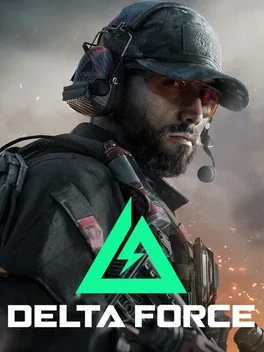
Delta Force is a free-to-play tactical first-person shooter reboot of the classic NovaLogic series, developed by Team Jade and published by TiMi Studio Group. Set in large-scale multiplayer battles, it offers two main modes: Warfare, featuring massive combined-arms PvP across land, sea, and air, and Hazard Operations, an operator-based extraction experience focused on high-stakes looting, combat against AI mercenaries and rival squads, and dramatic escape options like rocket launches, wingsuit jumps, or stealthy sewer routes. Players select elite Operators from Assault, Support, Engineer, or Recon archetypes, each with unique gadgets and traits, and can upgrade their Operations Center to improve attributes, stash size, and gear. The game also includes a single-player and cooperative Black Hawk Down campaign that recreates Operation Gothic Serpent.
Developed by · Published by ,


- Open the Delta Force install directory from the platform client.
- Run UE4PrereqSetup_x64.exe from Game\Engine\Extras\Redist\en-us\.
- After installation, verify game files and then relaunch the game to restore the missing tdatamaster.dll runtime.

- From the in-game lobby, open the Graphics settings menu.
- Set frame rate limits in and out of matches to 60.
- Disable V-sync and NVIDIA fast sync.
- Choose a lower overall graphics preset and set supersampling to a balanced option.
Advertisement
Known issues (no solution listed yet)
These are community-reported issues we don’t have a listed fix for yet. If something worked for you, share it.
System requirements
Minimum
- OS: Windows 10 64 bit
- Processor: Intel Core i3-4150 / AMD FX-6300
- Memory: 8 GB RAM
- Graphics: Nvidia Geforce GTX 660 / AMD HD 7870 / Intel Arc A380
- DirectX: Version 12
- Storage: 88 GB available space
Recommended
- OS: Windows 10 64 bit
- Processor: Intel Core i5-6500 / AMD Ryzen 5 1500x
- Memory: 16 GB RAM
- Graphics: Nvidia Geforce GTX 1060 5G / AMD RX5500 XT / Intel Arc A580
- DirectX: Version 12
- Storage: 88 GB available space