
Dinoblade - Known Bugs, Crashes & Community Fixes
About this game
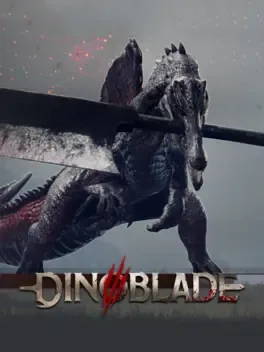
Dinoblade is a prehistoric action RPG where you play as a young Spinosaurus in a world transformed by a cataclysmic event that changed the nature of dinosaurs. Armed with a colossal Great Sword, you battle other weapon wielding dinosaurs in fast paced, Soulslike inspired combat, timing dodges, rolls, parries, and chaining combos to survive. As you journey through varied biomes like dry canyons and mist filled jungles, each ruled by a fearsome Alpha predator, victories grant new skills, devastating abilities, and legendary weapons that let you shape your own combat style. At the center of this brutal new era lies a mystery that could either save your species from extinction or condemn it, and defeating the final boss unlocks an ultimate Boss Rush mode for those who conquer the challenge.
Developed by · Published by ,




Advertisement
System requirements
Minimum
- OS: Windows 10 64-bit
- Processor: Intel Core i5-7500 / AMD Ryzen 5 1600
- Memory: 4 GB RAM
- Graphics: NVIDIA GeForce GTX 1050 4GB / AMD Radeon RX 560
- DirectX: Version 12
- Storage: 13 GB available space