Fix your game • Help others • Play more

Bugfree

Escape from Tarkov - Known Bugs, Crashes & Community Fixes
15 November 2025
Escape from Tarkov

About this game

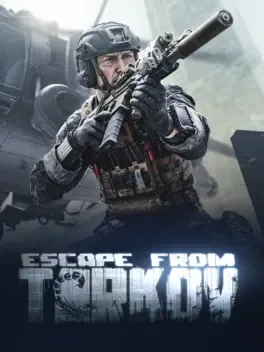
Escape from Tarkov is a hardcore, realistic first person tactical extraction shooter and action RPG/simulator for Windows, set in the war torn Norvinsk region of northwestern Russia. Players join raids as mercenaries from either USEC, hired by TerraGroup to conceal its illicit work, or BEAR, created by the Russian government to expose it, with each faction offering unique cosmetics and weapon proficiencies. Raids pit PMCs and playable Scavs against each other and hostile AI across multiple maps, where they must manage detailed health, survival needs, complex ballistics, sound, and navigation without an in game map while scavenging gear and reaching extraction zones to keep their loot. Death means losing almost everything, pushing players to build up their hideout, trade, craft, and progress skills between sessions as Scavs, Rogues, Raiders, Cultists, Scav bosses, and their guards dynamically shape the city’s shifting battlefields.

Developed by · Published by

Bugs, Crashes & Solutions

Update your GPU drivers to the newest version.

How to Update Your GPU Drivers for Gaming
Related guideHow to Update Your GPU Drivers for Gaming

Update Windows with the latest available updates.

Update to the latest Microsoft .NET Framework version.

Verify the integrity of the game files using the launcher.

How to Verify Game File Integrity (Steam, Epic, GOG, Xbox)
Related guideHow to Verify Game File Integrity (Steam, Epic, GOG, Xbox)

Select game servers that show a ping lower than 60 ms in the launcher.

Disable any active VPN services before launching the game.

Play on a wired Ethernet connection instead of Wi‑Fi to reduce packet loss and disconnects.

Verify the integrity of the game files through the launcher and let it repair any corrupted data before relaunching to address Error 1000.

How to Verify Game File Integrity (Steam, Epic, GOG, Xbox)
Related guideHow to Verify Game File Integrity (Steam, Epic, GOG, Xbox)

Run the Escape from Tarkov launcher as administrator by right-clicking its icon and choosing Run as administrator, then retry the login.

Disable any active VPN or proxy connection, restart the Escape from Tarkov launcher, and attempt to log in again.

Set Windows date, time, and time zone to update automatically in system settings, then restart the launcher and try logging in again.

Reset the in-game audio output device to your primary sound output and restart the client to restore directional sound.

Verify the integrity of the game files via the Escape from Tarkov launcher to repair broken audio assets.

Disable any third-party overlay or macro software that may interfere with input handling and cause the free look glitch.

Reset keybinds related to free look and camera control to default values and then reconfigure them to ensure no conflicting inputs cause the glitch.

Manually open each highlighted item category in the Handbook and scroll through the entries to clear the unread flags.

Advertisement

System requirements

Minimum
  • OS: Windows 10
  • Processor: AMD Ryzen 5 3600 or similar
  • Memory: 16 GB RAM
  • Graphics: GTX 1660 or similar
  • DirectX: Version 11
  • Storage: 80 GB available space
Recommended
  • OS: Windows 11
  • Processor: Intel Core i7-14700F or better
  • Memory: 64 GB RAM
  • Graphics: RTX 4070 or better
  • DirectX: Version 11
  • Storage: 80 GB available space
    Escape from Tarkov - Known Bugs, Crashes & Community Fixes | BugFreeGG