
Football Manager 26 - Known Bugs, Crashes & Community Fixes
4 November 2025
About this game
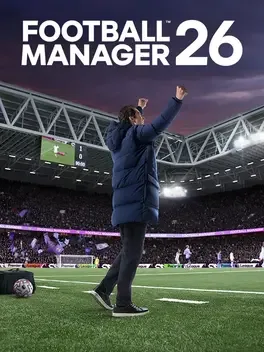
Football Manager 26 reworks the series on Unity with a cleaner interface, a new Portal hub, and a more immersive matchday presentation that adds greater visual detail and more expressive player movement. It also expands squad building and tactics with new TransferRoom tools, separate in and out of possession formations, redesigned player roles, and a visualiser for planning how your team shapes up in different phases.
Developed by · Published by
Run the game executable as administrator and disable fullscreen optimizations.
Related guideHow to Run a Game as Administrator on Windows
Update your graphics drivers with a clean install, then relaunch the game.

Related guideHow to Update Your GPU Drivers for Gaming
Disable background overlays before starting the game.

Related guideHow to Disable Overlays That Cause Crashes (Steam, Discord, NVIDIA, AMD, Xbox Game Bar)
Install the latest Windows updates and repair DirectX and Visual C++ redistributables.
Related guideHow to Update DirectX and Visual C++ Redistributables (.dll Error Fix)
Try searching using a shorter or partial player name instead of the full name.
Reload the save after squad updates or the transfer window so player values refresh.
Advertisement
Known issues (no solution listed yet)
These are community-reported issues we don’t have a listed fix for yet. If something worked for you, share it.
System requirements
Minimum
- OS: Windows 10 (with updates 22H2), Windows 11 (with updates 23H2)
- Processor: Desktop: Intel Core i3-530 or AMD FX-4100 Laptop: Intel Core i3-330M or AMD A6-5200 Requires SSE4.2 & SSSE3
- Memory: 4 GB RAM
- Graphics: Desktop: NVIDIA GeForce GTX 960 or AMD Radeon R9 380 or Intel HD 530 Laptop: NVIDIA GeForce GTX 960M or AMD Radeon R9 M375 or Intel HD 530 512MiB VRAM
- DirectX: Version 11
- Storage: 20 GB available space
Recommended
- OS: Windows 11 – with updates (23H2)
- Processor: Desktop: Intel Core i5-9600 or AMD Ryzen 5 2600 Laptop: Intel Core i5-1035G7 or AMD Ryzen 7 3750H
- Memory: 12 GB RAM
- Graphics: Desktop: NVIDIA GeForce RTX 2060 or AMD Radeon RX 5600 XT Laptop: NVIDIA GeForce RTX 2060 Mobile or AMD Radeon RX 6600M
- DirectX: Version 11
- Storage: 20 GB available space