Fix your game • Help others • Play more

Bugfree

Genshin Impact - Known Bugs, Crashes & Community Fixes
28 September 2020
Genshin Impact

About this game

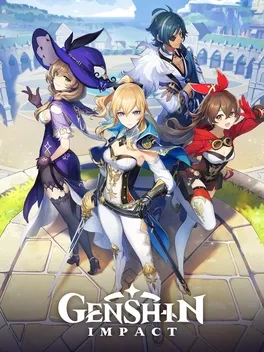
Genshin Impact is an open world action RPG set in the fantasy land of Teyvat, where you travel to find your lost sibling and seek answers from the elemental gods known as The Seven. You explore a vast map filled with points of interest and recruit from over 100 playable characters, each aligned with one of seven elements: Anemo, Cryo, Dendro, Electro, Geo, Hydro, or Pyro. Combat focuses on real time action with parties of four characters that you can swap between to chain attacks and trigger powerful Elemental Reactions. Every character uses an Elemental Skill on a cooldown and an Elemental Burst that consumes Energy. The game emphasizes single player play, with Co Op Mode available for select activities. Players tackle temple like Domains and the multi floor Spiral Abyss for materials and rewards, while cooking, crafting, fishing, and the Serenitea Pot housing system provide additional progression, customization, and resource options.

Developed by , , · Published by , ,

Bugs, Crashes & Solutions

Update your graphics drivers to the latest version before running the game.
How to Update Your GPU Drivers for Gaming
Related guideHow to Update Your GPU Drivers for Gaming
Check for game updates and install the latest patch through the official launcher before attempting to play.
Use the game repair or file verification feature to scan and fix corrupted game files, then restart the launcher.
How to Verify Game File Integrity (Steam, Epic, GOG, Xbox)
Related guideHow to Verify Game File Integrity (Steam, Epic, GOG, Xbox)
Run the game launcher as administrator to avoid permission-related crashes during startup.
How to Run a Game as Administrator on Windows
Related guideHow to Run a Game as Administrator on Windows
Close unnecessary background applications before launching the game to reduce conflicts that can cause crashes.
How to Disable Overlays That Cause Crashes (Steam, Discord, NVIDIA, AMD, Xbox Game Bar)
Related guideHow to Disable Overlays That Cause Crashes (Steam, Discord, NVIDIA, AMD, Xbox Game Bar)
Update the Intel Iris Xe graphics driver to the latest available version and restart the device before launching the game.
How to Update Your GPU Drivers for Gaming
Related guideHow to Update Your GPU Drivers for Gaming
If screen flickering persists in Snezhnaya, lower graphics quality and disable post-processing effects, then restart the game.

Advertisement

Known issues (no solution listed yet)

These are community-reported issues we don’t have a listed fix for yet. If something worked for you, share it.
  • Character outline or main model fails to render correctly, leaving only border effect

    Last reported: August 15, 2026

  • Stuck in endless loop of NPC conversation until game is restarted

    Last reported: August 15, 2026

    Genshin Impact - Known Bugs, Crashes & Community Fixes | BugFreeGG