
Gothic 1 Remake - Known Bugs, Crashes & Community Fixes
About this game
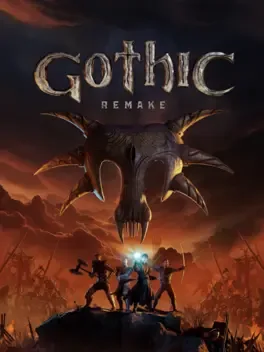
Gothic 1 Remake is a ground up recreation of the 2001 genre defining open world action RPG, keeping its core systems and atmosphere while updating it with current generation technology. As the nameless convict cast into the magically sealed Valley of the Mines, you must survive among brutal prisoners, warring factions, wild creatures, and ancient magic inside the lawless Colony. Explore a hand crafted, gritty world that reacts to your choices, with unrestricted exploration, over 50 hours of content, and a branching story shaped by the faction you join. The remake enriches the original with more detailed questlines, expanded lore, additional NPC routines and reactions, a more skill focused progression, new traversal options, and a fully modernized yet tactical combat system, all set in a living world where NPCs and wildlife follow believable daily schedules.
Developed by · Published by




- Draw Cord away: Physically attack or provoke Cord to make him target you instead of Gorn.
- Kite him out of line-of-sight: Sprint backwards and lure Cord a significant distance away from the mine entrance and away from Gorn.
- Reset his aggression: Once he is isolated, cast a Charm scroll on him, or use a sleep/freeze spell to pacify him temporarily.
- Sprint back to Gorn: Quickly run back to Gorn while he is standing alone. Because his combat state has cleared, spam the talk button to initiate the necessary dialogue and receive the key to advance the quest.
- Back away from the Free Mine area entirely.
- Travel to a nearby camp or bed and sleep for 24 to 48 hours.
- Walk (do not sprint) back to the area. This often forces the NPCs to reset to their default, idle quest routines.
- After talking to Lester, move away and let him walk to his friends without following too closely.
- Wait a few seconds until he reaches the group and starts interacting.
- Only then approach the group again to allow the meeting script and dialogue to trigger correctly.
Advertisement
System requirements
Minimum
- OS: Windows 10 64 bit
- Processor: to be defined
- Memory: 8 GB RAM
- Graphics: to be defined
- DirectX: Version 11
- Storage: 30 GB available space