Fix your game • Help others • Play more

Bugfree

Granblue Fantasy: Relink - Endless Ragnarok - Known Bugs, Crashes & Community Fixes
9 July 2026
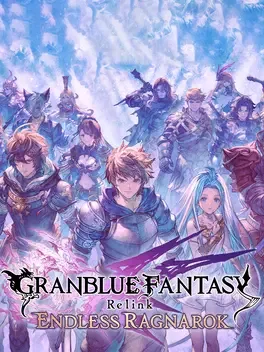
Granblue Fantasy: Relink - Endless Ragnarok

About this game

Granblue Fantasy: Relink - Endless Ragnarok is a refined character action RPG set in the Sky Realm, where you lead a skyfaring crew across floating islands as captain alongside Vyrn, Lyria, and a diverse roster of kings, misfits, and other skyfarers on a quest for the legendary Estalucia. Real-time, four-person party combat emphasizes unique weapons, skills, and styles, with teamwork-focused systems like Link Attacks, Chain Bursts, and the new primal burst tied to powerful summons that can be equipped, called forth, and sometimes directly controlled to reshape battle strategy. You can tackle quests solo or in up to 4-player online co-op with full crossplay, mastering assist modes for accessibility, exploring extensive lore through Lyria’s journal, and unlocking Fate Episodes for crew backstories. Endless Ragnarok expands the adventure with new story content, ragnalia and other fearsome foes, fresh co-op tiers and bosses, the Conflux solo mode, master traits that further enhance characters, and added summons, plus an early purchase bonus set of rare damage-boosting and elemental sigils.

Developed by · Published by

Bugs, Crashes & Solutions

Set the game to run with a dedicated GPU in Windows graphics settings by adding the executable and choosing high performance, then relaunch to address not launching or not responding problems.

How to Force a Game to Use Your Dedicated GPU on Windows
Related guideHow to Force a Game to Use Your Dedicated GPU on Windows

Add launch options such as -dx11, -dx12, or -d3d11 to the game in Steam and test each mode to see which prevents crashes or black screen on startup.

How to Force DirectX 11 (DX11) for a Game on PC
Related guideHow to Force DirectX 11 (DX11) for a Game on PC

Update Windows via the Windows Update settings and install all pending updates before relaunching the game, as outdated system components.

Repair and reinstall the latest Microsoft Visual C++ Redistributable packages (x86 and x64) and then restart the PC before launching the game to fix runtime crashes.

How to Update DirectX and Visual C++ Redistributables (.dll Error Fix)
Related guideHow to Update DirectX and Visual C++ Redistributables (.dll Error Fix)

Close or disable third-party overlay and recording applications such as GPU overlays or capture tools before running the game to avoid conflicts that can cause crashes or freezes.

Update your GPU drivers through Device Manager or the vendor software to ensure the game can render Endless Ragnarok content.

How to Update Your GPU Drivers for Gaming
Related guideHow to Update Your GPU Drivers for Gaming

Verify the integrity of game files in Steam to repair any corrupted or missing data.

How to Verify Game File Integrity (Steam, Epic, GOG, Xbox)
Related guideHow to Verify Game File Integrity (Steam, Epic, GOG, Xbox)

Disable the Steam overlay for the game in the Steam properties menu and then relaunch to reduce conflicts that can lead to crashes or display issues.

    Granblue Fantasy: Relink - Endless Ragnarok - Known Bugs, Crashes & Community Fixes | BugFreeGG