
Heroes of Might & Magic: Olden Era - Known Bugs, Crashes & Community Fixes
About this game
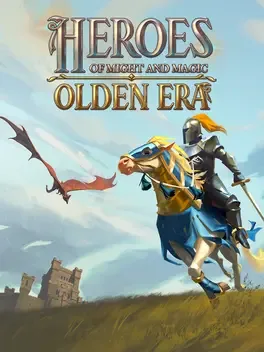
Heroes of Might & Magic: Olden Era returns as the official prequel to the legendary turn‑based strategy franchise, blending empire‑building, tactical combat and deep RPG progression in a world where peace is a myth. Players choose one of six distinct factions: knights of the Temple, elemental spirits of the Grove, fire‑breathing dragons of the Dungeon, or the undead of the Necropolis - each with its own roster of unique units and heroes that grow in power through experience, artifacts and city upgrades. The game offers a sprawling campaign that hints at looming doom, as well as procedurally generated and hand‑crafted maps for skirmishes and online multiplayer. City construction unlocks buildings that recruit and upgrade troops, while wandering dwellings can bring creatures from rival factions into your army, creating new synergies. Heroes wield spells from four schools of magic, grant passive bonuses, and can spend Focus earned by dealing or taking damage to activate special abilities such as teleportation, summoning or defensive buffs.
Developed by · Published by ,




Advertisement
System requirements
Minimum
- OS: Windows® 10 (64-bit)
- Processor: Intel® Core™ i3-10300 (quad-core) / AMD® Ryzen™ 3 3100 (quad-core)
- Memory: 8 GB RAM
- Graphics: NVIDIA® GeForce® GTX 1650 (4 GB) / AMD® Radeon™ RX 5500 XT (4 GB) / Intel® Arc™ A580 (8 GB)
- DirectX: Version 11
- Storage: 8 GB available space
Recommended
- OS: Windows® 10 (64-bit)
- Processor: Intel® Core™ i5-12400T (hexa-core) / AMD® Ryzen™ 5 5500 (hexa-core)
- Memory: 16 GB RAM
- Graphics: NVIDIA® GeForce® GTX 1660 (6 GB) / AMD® Radeon™ RX 5600 OEM (6 GB) / Intel® Arc™ A750 (8 GB)
- DirectX: Version 12
- Storage: 8 GB available space