
Hollow Knight: Silksong - Known Bugs, Crashes & Community Fixes
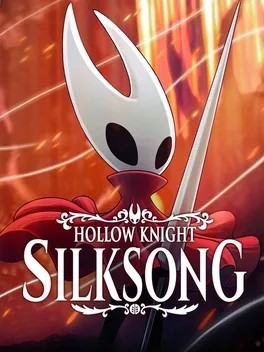
About this game
Hollow Knight: Silksong follows the award‑winning action‑adventure as Hornet, the lethal hunter now dubbed the Princess Knight, is captured and thrust into the silk‑and‑song kingdom of Pharloom. Players explore mossy grottos, gilded cities, misted moors, and climb toward the shining citadel at the world’s peak, uncovering ancient mysteries tied to Hornet’s past. Combat blends acrobatic flair with a vast array of deadly moves, while a growing arsenal of weapons, traps, and mechanisms lets you craft powerful tools to outmaneuver more than 200 ferocious foes—including beasts, hunters, monsters, and knights—and face over 40 legendary bosses such as fabled heroes and fallen kings. After conquering the kingdom, Steel Soul mode offers a tougher challenge. The game is underscored by Christopher Larkin’s orchestral score, featuring melancholy melodies, symphonic strings, and intense boss themes.
Developed by · Published by

Advertisement
System requirements
Minimum
- OS: Windows 10 version 21H1 (build 19043) or newer
- Processor: Intel Core i3-3240, AMD FX-4300
- Memory: 4 GB RAM
- Graphics: GeForce GTX 560 Ti (1GB), Radeon HD 7750 (1GB)
- DirectX: Version 10
- Storage: 8 GB available space
Recommended
- OS: Windows 10 version 21H1 (build 19043) or newer
- Processor: Intel Core i5-3470
- Memory: 8 GB RAM
- Graphics: GeForce GTX 1050 (2GB), Radeon R9 380 (2GB)
- DirectX: Version 10
- Storage: 8 GB available space