
LEGO Batman: Legacy of the Dark Knight - Known Bugs, Crashes & Community Fixes
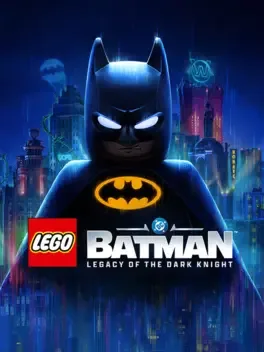
About this game
LEGO Batman: Legacy of the Dark Knight is a story-driven action adventure that follows Bruce Wayne from his training with the League of Shadows to his rise as Gotham City’s protector. Build a team of allies including Jim Gordon, Catwoman, Robin, Nightwing, and Batgirl as you oppose iconic DC Super Villains like The Joker, The Penguin, Mr. Freeze, Poison Ivy, Bane, and others from Batman’s Rogues Gallery. Take on crime across an open-world Gotham using a revamped combat system that blends flowing combos, stealth, and detective work. Glide, grapple, and speed through the city in Batmobiles and Batcycles such as the Tumbler, uncovering challenges, secrets, and rewards at landmarks like Arkham Asylum, Ace Chemicals, and Wayne Tower, all wrapped in TT Games’ trademark LEGO style.
Developed by · Published by



- Update the game to the latest patch on your platform.
- Travel back to Gotham Zoo in Old Gotham South, in the lower circular area of the map.
- Go to the back left corner below the Arctic World sign to find the Zookeeper.
- Before speaking to the Zookeeper, open the Map menu, go to Suit Options, and equip Gordon with The Batman suit.
- Approach and talk to the Zookeeper to advance the quest.
Advertisement
System requirements
Minimum
- OS: Windows 11
- Processor: Intel Core i5-9600K or AMD Ryzen 5 3600
- Memory: 16 GB RAM
- Graphics: NVIDIA GeForce RTX 2070, 8 GB or AMD Radeon RX 5700 XT, 8 GB or INTEL Arc A770, 16GB
- Storage: 50 GB available space
Recommended
- OS: Windows 11
- Processor: Intel Core i7-12700K or AMD Ryzen 7 7700X
- Memory: 16 GB RAM
- Graphics: NVIDIA GeForce RTX 3080, 10 GB or AMD Radeon RX 6800 XT, 16 GB
- Storage: 50 GB available space