Fix your game • Help others • Play more

Bugfree

Phantom Blade Zero - Known Bugs, Crashes & Community Fixes
29 October 2026
Phantom Blade Zero

About this game

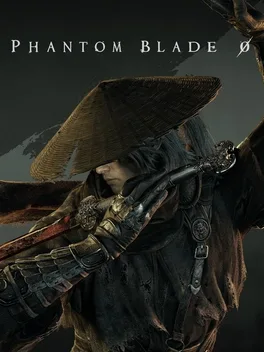
Phantom Blade Zero is a kungfupunk action game set in a mysterious world of wuxia, where traditional Chinese aesthetics and martial arts meet punk fantasy, mechanical prosthetics, industrial ruins, and modern rock. Framed for killing his master and gravely wounded, Soul has just sixty-six days to live as he evades former comrades and investigates a conspiracy gripping the Wulin. Explore shifting realms, uncover hidden stories, passages, and mechanisms, and master more than 30 primary weapons and 20 Phantom Edges taken from defeated foes. Combat draws on real martial techniques, with fluid combos and split-second dodges, deflections, counters, and strikes. Unreal Engine 5 and motion capture, developed with veteran wuxia martial arts choreographers, bring its cinematic kungfu action to life.

Developed by · Published by

Bugs, Crashes & Solutions

In Steam's controller layout for the game, change the map button from Share / Create (PlayStation) to View Button (View / Back / Minus).
Use the game launcher’s file verification option to detect and repair corrupted or missing installation files.
How to Verify Game File Integrity (Steam, Epic, GOG, Xbox)
Related guideHow to Verify Game File Integrity (Steam, Epic, GOG, Xbox)
Download the latest GPU drivers to improve DirectX support and resolve potential graphics driver conflicts.
How to Update Your GPU Drivers for Gaming
Related guideHow to Update Your GPU Drivers for Gaming
Update Windows to the newest available version to install the latest system components and compatibility improvements.
Reinstall DirectX and Microsoft Visual C++ Redistributables to fix missing or damaged runtime files that the game depends on.
How to Update DirectX and Visual C++ Redistributables (.dll Error Fix)
Related guideHow to Update DirectX and Visual C++ Redistributables (.dll Error Fix)
Configure the game to use your dedicated graphics card instead of integrated graphics.
How to Force a Game to Use Your Dedicated GPU on Windows
Related guideHow to Force a Game to Use Your Dedicated GPU on Windows
Temporarily disable your antivirus or add the game folder to its exceptions to prevent security software from blocking essential files.
How to Add a Game to Antivirus Exclusions on Windows
Related guideHow to Add a Game to Antivirus Exclusions on Windows
Shut down unnecessary background applications and turn off overlays that might conflict with the game or its graphics components.
How to Disable Overlays That Cause Crashes (Steam, Discord, NVIDIA, AMD, Xbox Game Bar)
Related guideHow to Disable Overlays That Cause Crashes (Steam, Discord, NVIDIA, AMD, Xbox Game Bar)
Keep the game in the foreground and allow first-launch shader compilation to finish; do not close the game just because progress appears slow.
Temporarily turn off ray tracing and path tracing in the graphics settings while testing combat and traversal performance.
Turn off the in-game enhanced or high-quality hair option.
Disable ray tracing in the graphics settings.

Advertisement

Known issues (no solution listed yet)

These are community-reported issues we don’t have a listed fix for yet. If something worked for you, share it.

  • RadeonTuner watermark remains visible over the game after the overlay is disabled or uninstalled

    Last reported: November 1, 2026

  • Denuvo error prevents the game from launching

    Last reported: October 29, 2026

System requirements

Minimum

  • OS: Windows 10/11 (64bit required)
  • Processor: Intel Core i7-8700K / AMD Ryzen 5 3600
  • Memory: 16 GB RAM
  • Graphics: NVIDIA GeForce GTX 1660 6GB / AMD Radeon RX 5500 XT 8GB
  • DirectX: Version 12

Recommended

  • OS: Windows 10/11 (64bit required)
  • Processor: Intel Core i5-10600K / AMD Ryzen 5 5600X
  • Memory: 16 GB RAM
  • Graphics: NVIDIA GeForce RTX 3060 Ti 8GB / AMD Radeon RX 6700 XT 12GB
  • DirectX: Version 12
    Phantom Blade Zero - Known Bugs, Crashes & Community Fixes | BugFreeGG