
Fix your game • Help others • Play more

Bugfree

Pratfall - Known Bugs, Crashes & Community Fixes
20 April 2026
Pratfall

About this game

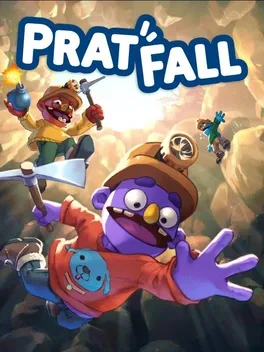
Pratfall is a chaotic co‑op adventure where you and friends tumble, dig, blast, and explode your way through a sprawling cave system to rescue a missing dog. After a construction site in a dog park collapses, your best buddy falls into a deep hole and you must equip a helmet, pickaxe, drill, and even magic beans to forge a path. Use ziplines to cross crevasses, light the darkness with flares, and gather scattered food to recover from injuries. All dogs have vanished, so you must also watch out for your teammates, catch them if they fall, revive them, feed them weird treats, or toss bombs to see what happens. Gravity, traps, and hazards threaten everyone—watch your step, don’t fall too much, and bring the dog back home.

Developed by Unknown · Published by Unknown

Bugs, Crashes & Solutions

Update your GPU drivers to the latest version.

Verify the integrity of the game files using the launcher.

Go to audio settings and disable Voice Change Effects to turn off Squeaker, Deep Dish Pizza, and Megaphone effects that cause audio distortion with 7.1 surround sound.

Update to hotfix 1.0.0R2502 or later, which resolves Windows Smart App Control startup issues.

System requirements

Minimum
  • OS: Windows 10 64 bit
  • Processor: Intel Core i5 / AMD FX-6300
  • Memory: 8 GB RAM
  • Graphics: GTX 970 / Radeon RX580
  • DirectX: Version 12
  • Storage: 1 GB available space
Recommended
  • OS: Windows 11 64 bit
  • Processor: Intel i7 / AMD Ryzen 7
  • Memory: 16 GB RAM
  • Graphics: GTX 1070 / Radeon RX 5700XT
  • DirectX: Version 12
  • Storage: 1 GB available space

You might also like

Common fixes for game issues

Haven't found a fix in the Bugs, Crashes & Solutions section above? These general steps often resolve crashes, freezes, and performance issues.

Update graphics drivers

Install the latest GPU drivers from NVIDIA, AMD, or Intel. Outdated drivers are a leading cause of crashes and visual glitches.

Verify game files

Use your launcher's "Verify integrity" option to repair missing or corrupted game files.

Run as administrator

Right-click the game executable and choose "Run as administrator" to fix permission-related launch or save issues.

Disable background apps

Turn off overlays and close heavy background apps to free RAM and reduce conflicts.

    Pratfall - Known Bugs, Crashes & Community Fixes | BugFreeGG

