
RoadCraft - Known Bugs, Crashes & Community Fixes
About this game
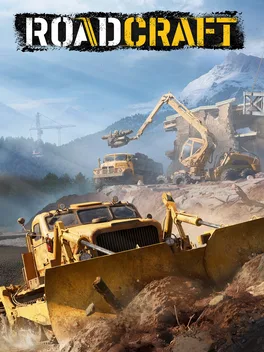
RoadCraft is a vehicle simulation game where you manage a disaster recovery company tasked with restoring regions ravaged by natural catastrophes. Use over 40 heavy machines, each with distinct handling, to clear debris, replace damaged equipment, and rebuild roads and bridges so local industry can restart. Powered by Saber Interactive’s advanced physics engine, every object’s mass and size, as well as materials like sand, wood, and asphalt, affect how you move and shape the terrain, letting your new roads ease vehicle travel. Operate bulldozers, transporters, cranes, cable layers, pavers, and rollers, customize them in your garage, and progress through a story-driven campaign across eight 4 km² maps with varied biomes and facilities. Recycle rubble into construction materials, supply factories and quarries, and plot AI truck routes to keep logistics flowing. Tackle missions solo or team up online with up to three other players in cooperative sessions to divide jobs or collaborate on large projects.
Developed by · Published by




Advertisement
System requirements
Minimum
- OS: Windows 10 (18362 min)/11 64-bit
- Processor: AMD Ryzen 5 1500X / Intel Core i5-8400
- Memory: 8 GB RAM
- Graphics: 6 GB VRAM, AMD Radeon RX 590 / Nvidia GeForce GTX 1060 / Intel ARC A580
- Storage: 40 GB available space
Recommended
- OS: Windows 10 (18362 min)/11 64-bit
- Processor: AMD Ryzen 7 5800X / Intel Core i5-12600K
- Memory: 16 GB RAM
- Graphics: 8 GB VRAM, AMD Radeon RX 6600 XT / Nvidia GeForce RTX 3060 / Intel ARC B580
- Storage: 40 GB available space