About this game
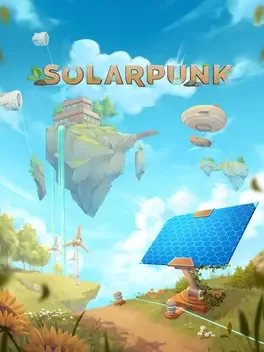
Solarpunk is a cozy survival and crafting game set among high tech floating islands, playable solo or in cooperative multiplayer. Gather resources to build and decorate a personalized sky home, grow fruits and vegetables as your main food source, and coexist peacefully with helpful animals like pigs that will dig up truffles when well cared for. Use sunlight, wind and water to generate clean electricity, store it in batteries, and power gadgets wirelessly while adapting to changing weather. Craft drones and other devices to automate routine tasks such as collecting materials, watering crops and catching fish, giving you more time to design and expand your base. Each player can construct a custom airship to travel between islands and uncover new resources.
Developed by · Published by ,

Make sure Windows is fully updated to receive the latest DirectX updates and system fixes.
Install the newest available graphics drivers.

Close unnecessary programs running in the background and turn off overlays that may conflict with the game.
Configure the game to use the dedicated GPU instead of integrated graphics.

Verify the game files through the launcher to repair any damaged or missing installation files.

Temporarily disable your antivirus or add the game folder to its exception list to prevent interference with game files.

Drop the diamond on the ground and walk on it.
Open the in-game audio settings and set the master volume and other sound sliders to 100%, then resume playing to verify that sound is restored.
Open Windows sound settings, go to the spatial sound options for your active playback device, set spatial sound to Off, apply the change, then restart the game and test the audio.
Disconnect non-essential USB and audio-related peripherals, then relaunch the game to rule out conflicts affecting the sound output.
Set the correct speakers or headphones as the default sound device in Windows, then restart Solarpunk so it uses the selected device for audio output.
Change foundation height by holding button for raising it and then using right joystick or mouse to move it up or down.
Try to start building on flat ground in different area.
Make sure that you laid the foundation first.
System requirements
Minimum
- OS: Windows 10/11 64-bit
- Processor: Intel Core i5-8400 / AMD Ryzen 5 2600
- Memory: 6 GB RAM
- Graphics: GeForce GTX 1660 6GB | RX 5500 XT 6GB
- Storage: 5 GB available space
Recommended
- OS: Windows 11 64-bit
- Processor: Intel Core i7 / AMD Ryzen 7
- Memory: 8 GB RAM
- Graphics: NVIDIA RTX 3060 | AMD RX 7600XT or better
- Storage: 5 GB available space