
Street Fighter 6 - Known Bugs, Crashes & Community Fixes
About this game
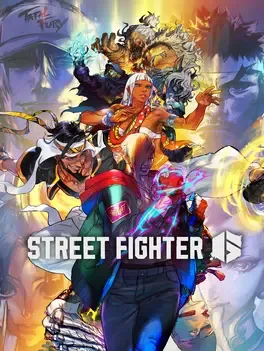
Street Fighter 6 is Capcom’s 2023 evolution of its iconic fighting series, built in the RE ENGINE and centered on three main modes: Fighting Ground, World Tour, and Battle Hub. Fighting Ground refines classic 2D combat with the new Drive Gauge system, three distinct control types (Classic, Modern, and Dynamic), and a real-time commentary feature that emulates tournament-style hype while clarifying what is happening in battle. Players can choose from a diverse launch roster of 18 fighters, including returning legends like Ryu and Chun-Li alongside newcomers such as Luke, Jamie, and Kimberly. World Tour delivers a single-player story experience where you create an avatar, explore Metro City and other locations, and learn techniques directly from series Masters. In Battle Hub, those avatars enter a shared online space to challenge other players at virtual cabinets, socialize, and enjoy classic Capcom arcade titles, supporting every step of your journey toward becoming a World Warrior.
Developed by · Published by

Advertisement
System requirements
Minimum
- OS: Windows 10 (64 bit required)
- Processor: Intel Core i5-7500 / AMD Ryzen 3 1200
- Memory: 8 GB RAM
- Graphics: GTX1060 (VRAM 6GB) / Radeon RX 580 (VRAM 4GB)
- DirectX: Version 12
- Storage: 60 GB available space
Recommended
- OS: Windows 10 (64 bit)/Windows 11 (64 bit)
- Processor: Intel Core i7 8700 / AMD Ryzen 5 3600
- Memory: 16 GB RAM
- Graphics: RTX2070 / Radeon RX 5700XT
- DirectX: Version 12
- Storage: 60 GB available space