Wardogs - Known Bugs, Crashes & Community Fixes
10 September 2026
About this game
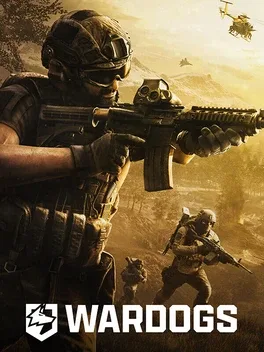
Wardogs is a large-scale all-out warfare FPS for up to 100 players, pitting three teams against each other in objective-based battles across destructible Eastern European industrial landscapes. It mixes tactical shooting and combined-arms combat with player-built fortifications, vehicles, and a cash-driven loadout system where every life starts with money that must be spent wisely on weapons, gear, utility, and transport. Teams fight for randomized control zones in matches shaped by teamwork, communication, and player choice.
Developed by · Published by
Disable Steam and GPU overlays such as Steam overlay, Discord overlay, and vendor-specific overlays before starting WARDOGS.

Related guideHow to Disable Overlays That Cause Crashes (Steam, Discord, NVIDIA, AMD, Xbox Game Bar)
Delete the EasyAntiCheat folder inside the WARDOGS installation directory and then use Steam to verify the integrity of the game files before launching again.

Related guideHow to Verify Game File Integrity (Steam, Epic, GOG, Xbox)
Run WARDOGS as administrator by enabling "Run this program as an administrator" in the compatibility settings of the game executable.
Related guideHow to Run a Game as Administrator on Windows
Open the scoreboard during a match and press U twice to disconnect and reconnect voice chat. Repeat until the status shows that voice chat is connected.
Confirm that Windows allows microphone access, select the correct input device in WARDOGS, and test the microphone through Windows or Steam.
Check the push-to-talk assignment and switch temporarily between push-to-talk and open-microphone modes.
Update GPU drivers to the latest available version, then restart the PC and launch WARDOGS to reduce crash and BSOD occurrences.

Related guideHow to Update Your GPU Drivers for Gaming
- Clear NVIDIA shader and graphics caches from AppData\Local\NVIDIA, including DXCache and GLCache.
- Clear the DirectX shader cache using Windows temporary files settings.
- Restart the PC and try WARDOGS again.
Related guideHow to Clear or Disable the NVIDIA Shader Cache
Install all available Windows updates, restart the PC, and update outdated RGB or motherboard utilities that may install incompatible inpoutx64.sys drivers.
Enable Rotary Control under the mouse vehicle controls settings to restore mouse-based flight control.
Review the vehicle weapon bindings and remove conflicting assignments, especially bindings that use the same key for firing and flight controls.
Check your input devices and key bindings and disconnect or disable any conflicting controller, mouse macro, or input software that could cause continuous spinning or punching in WARDOGS.
If you encounter access denied errors or authentication failures at the end of the login queue, wait and rejoin the queue once servers have recovered, as these issues are tied to overloaded beta authentication.
Advertisement
Known issues (no solution listed yet)
These are community-reported issues we don’t have a listed fix for yet. If something worked for you, share it.
System requirements
Minimum
- OS: Windows 10
- Processor: Intel® Core i5 8600, AMD Ryzen 5 3500
- Memory: 16 GB RAM
- Graphics: Nvidia GTX 1660, Radeon RX 590
- Storage: 50 GB available space
Recommended
- OS: Windows 11
- Processor: Intel® Core i7 12700k, AMD Ryzen 7 5700x
- Memory: 16 GB RAM
- Graphics: Nvidia RTX 3070, AMD Radeon RX 6700 XT
- Storage: 50 GB available space