ARC Raiders - Known Bugs, Crashes & Community Fixes
About this game
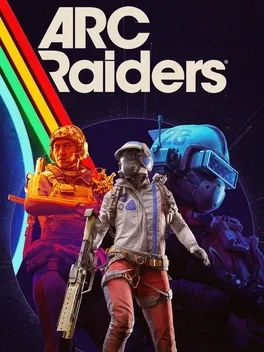
ARC Raiders is a third person, multiplayer extraction shooter set on a devastated future Earth ruled by lethal ARC machines. Operating from the underground hub of Speranza, you prepare in a personal workshop where you craft, repair, and upgrade weapons, gadgets, augments, shields, and deployables using scavenged resources and blueprints. Venture topside alone or in squads of up to three across four distinct, evolving maps, completing quests for Traders, tackling randomized objectives and Trials, and looting valuable gear amid shifting weather, enemy types, and mechanics. Encounters with rival Raiders and varied ARC robots turn every run into a high stakes risk versus reward decision as you fight, evade, and race to reach limited extraction points. Progress by selling loot, investing in Survival, Mobility, and Conditioning skill trees, unlocking new recipes and perks, and customizing your loadout and appearance to define your own style of Raider.
Developed by · Published by



Advertisement
Known issues (no solution listed yet)
These are community-reported issues we don’t have a listed fix for yet. If something worked for you, share it.
System requirements
Minimum
- OS: Windows 10 or later 64-bit (latest update)
- Processor: Intel Core i5-6600K or AMD Ryzen R5 1600 processor
- Memory: 12 GB RAM
- Graphics: NVIDIA GeForce GTX 1050 Ti or AMD Radeon RX 580 or Intel Arc A380
- DirectX: Version 12
Recommended
- OS: Windows 10 or later 64-bit (latest update)
- Processor: Intel Core i5-9600K or AMD Ryzen 5 3600 processor
- Memory: 16 GB RAM
- Graphics: NVIDIA GeForce RTX 2070 or AMD Radeon RX 5700 XT or Intel Arc B570
- DirectX: Version 12