Final Fantasy XIV Online - Known Bugs, Crashes & Community Fixes
About this game
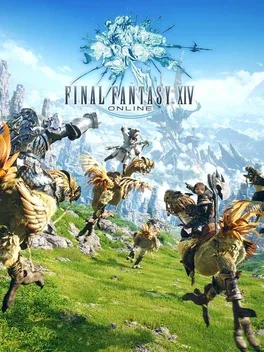
Final Fantasy XIV Online is a subscription based MMORPG set in the world of Eorzea, rebuilt as A Realm Reborn in 2013 and expanded through Heavensward, Stormblood, and Shadowbringers, all available in the Free Trial. Create a customized hero, travel vast and varied environments, and experience an unforgettable, evolving story filled with classic Final Fantasy monsters, chocobos, and airships. Battle through exhilarating quests, dungeons, and raids either with friends across the globe or solo using NPC party members for main story content. Unlock additional jobs such as Dark Knight, Astrologian, Machinist, Red Mage, Samurai, Gunbreaker, and Dancer as you journey from the dragon war of Ishgard to uprisings in the East and a distant world on the brink of ruin.
Developed by , , , · Published by

- Reset the Nintendo Switch 2 system clock to the correct date and time and enable automatic synchronization.
- Perform a full restart of the console by holding the power button and choosing restart instead of sleep mode.
- If the issue persists, try launching the game while the console is undocked.

Advertisement
System requirements
Minimum
- OS: Windows® 11 64 bit
- Processor: Intel® Core™i7-7700 or higher
- Memory: 8 GB RAM
- Graphics: NVIDIA GeForce GTX 970 or higher, AMD Radeon RX 480 or higher
- DirectX: Version 11
- Storage: 140 GB available space
Recommended
- OS: Windows® 11 64 bit
- Processor: Intel® Core™i7-9700 or higher
- Memory: 16 GB RAM
- Graphics: NVIDIA GeForce RTX 2060 or higher, AMD Radeon RX 5600 XT or higher
- DirectX: Version 11
- Storage: 140 GB available space