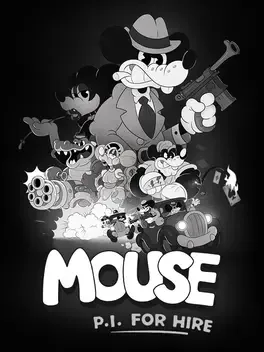
About this game
Step into the trench‑lined streets of Mouseburg as Jack Pepper, a war‑worn detective turned gumshoe, and blast through a noir‑infused conspiracy in this first‑person shooter that marries 1930s rubber‑hose animation with frantic gunplay. The game’s hand‑drawn black‑and‑white frames, inspired by classic cartoons, set the stage for a jazz‑driven soundtrack and a sprawling city that ranges from grim alleyways to swanky opera houses and murky sewers. Players will fire a roster of over ten cartoon‑twisted weapons, pick up explosive power‑ups, and face manic boss fights while uncovering a tangled web of corruption, kidnappings, and murder. Movement is a core element: wall‑run, grapple‑hook, and double‑jump let you glide through the Metroidvania‑style levels, and each new ability unlocks fresh paths. With more than twenty levels, a single‑player campaign, and a fully‑loaded arsenal, MOUSE: P.I. For Hire delivers a high‑octane, jazz‑fueled adventure that keeps you on your toes.
Developed by · Published by

Play in handheld mode instead of docked to improve framerate stability and frame pacing.
Switch to performance mode in graphics settings for better framerates and reduced frame pacing issues.
Rebind the grappling action to a different key in Options → Controls, which can reset the unresponsive state.
Update the game to the latest hotfix (v1.0.6 or newer), as several input-related bugs have been patched.
Verify the integrity of game files via platform you run the game on.
As a temporary workaround, open the pause or tutorial menu before each grappling attempt to "wake up" the input.
Restart the game or PC to restore audio.
Verify game files integrity via Steam properties under the installed files tab.
Set sound format to 16 bit 48000 Hz, 24 bit 44100 Hz, or 16 bit 44100 Hz in sound settings and relaunch the game.
Disconnect controllers and extra audio devices before launching the game.
Limit FPS in graphics settings.
- Switch to windowed mode in settings and apply.
- Press Alt+Enter to return to fullscreen without changing the setting.

Restart the game to resolve temporary stuttering.
Run your launcher's file verification to repair any corrupted or incomplete files that may be preventing the game from loading.
Install the latest GPU drivers from NVIDIA, AMD, or Intel, as outdated drivers are the most frequent source of crashes and black screens.
Add the game's install folder to your antivirus exclusion list, since security software can silently block or remove game files.
Lower shadows, texture quality, and resolution scale in the graphics settings to ease GPU pressure and prevent crashes in demanding scenes.
System requirements
Minimum
- OS: Windows 10 64bit
- Processor: Intel Core i5 9600 / Ryzen 3600
- Memory: 16 GB RAM
- Graphics: GeForce 1050ti / Intel Xe Graphics / Radeon RX 580
- DirectX: Version 11
- Storage: 20 GB available space
Recommended
- OS: Windows 11
- Processor: Intel Core i5 9600 / Ryzen 3600
- Memory: 16 GB RAM
- Graphics: GeForce 3060 / Intel Arc B570 / Radeon 6600
- DirectX: Version 11
- Storage: 20 GB available space
You might also like
Common fixes for game issues
Haven't found a fix in the Bugs, Crashes & Solutions section above? These general steps often resolve crashes, freezes, and performance issues.
Update graphics drivers
Install the latest GPU drivers from NVIDIA, AMD, or Intel. Outdated drivers are a leading cause of crashes and visual glitches.
Verify game files
Use your launcher's "Verify integrity" option to repair missing or corrupted game files.
Run as administrator
Right-click the game executable and choose "Run as administrator" to fix permission-related launch or save issues.
Disable background apps
Turn off overlays and close heavy background apps to free RAM and reduce conflicts.