Fix your game • Help others • Play more

Bugfree

Peak - Known Bugs, Crashes & Community Fixes
16 June 2025
Peak

About this game

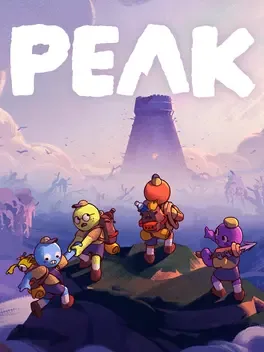
Peak is a tense cooperative climbing game for up to four players, playable solo or in online co-op with friends-only multiplayer. Stranded as lost nature scouts on a mysterious island, you must scale a towering central mountain that changes layout every 24 hours, offering a fresh semi-procedurally generated challenge each day. Ascend through multiple hazardous biomes filled with unique obstacles, enemies, and life-threatening terrain while managing stamina, injuries, and scavenged food. Use proximity chat to coordinate, sharing ropes, pitons, climbing spikes, and other survival gear, including strange items like Anti-Rope. Along the way, unlock badges, cosmetics, and character customization options, gather around campfires, and even encounter ghosts as you push toward the summit.

Developed by , · Published by ,

Bugs, Crashes & Solutions

Open the in-game graphics settings, disable V-sync, and set the FPS limit to a value between 60 and 120 FPS to reduce Photon-related connection problems.
Use Steam launch options to force a specific Photon region by adding -photonRegion EU or -photonRegion US and test multiplayer again.
Verify the integrity of game files in Steam by opening Properties, selecting Installed Files, and running the verification to repair corrupted multiplayer-related data.
How to Verify Game File Integrity (Steam, Epic, GOG, Xbox)
Related guideHow to Verify Game File Integrity (Steam, Epic, GOG, Xbox)
Update your Windows installation to at least version 21H1 (build 19043) or newer so that the Unity 6-based game can run correctly.
If the game freezes your PC, try installing the game on a different drive, then launch it from there.
Update your graphics driver to the latest version and test the game again.
How to Update Your GPU Drivers for Gaming
Related guideHow to Update Your GPU Drivers for Gaming
Validate the game files through Steam to restore any missing or corrupted data.
How to Verify Game File Integrity (Steam, Epic, GOG, Xbox)
Related guideHow to Verify Game File Integrity (Steam, Epic, GOG, Xbox)
Launch the game without mods by starting it in vanilla mode directly from Steam instead of through a mod manager.

Advertisement

Known issues (no solution listed yet)

These are community-reported issues we don’t have a listed fix for yet. If something worked for you, share it.

  • Co-op games crash immediately when starting in lobby

    Last reported: August 25, 2026

System requirements

Minimum

  • OS: Win 10
  • Processor: Intel Core i5 @ 2.5 GHz or equivalent
  • Memory: 8 GB RAM
  • Graphics: GTX 1060 or RX 6600 XT
  • DirectX: Version 12
  • Storage: 4 GB available space

Recommended

  • OS: Win 11
  • Processor: Intel Core i5 @ 3.0 GHz or AMD Ryzen 5 or equivalent
  • Memory: 16 GB RAM
  • Graphics: RTX 2060 or RX 7600xt or equivalent
  • DirectX: Version 12
  • Storage: 6 GB available space
    Peak - Known Bugs, Crashes & Community Fixes | BugFreeGG